On Ubuntu, play sound files on PS4 joystick
Summary
Sometime it can be handy while remote controlling, you can get an update on the current state, like voice indication or by lights.
Prerequisite
- ROS1
- ros-joystick_drivers
- example code: ps4_joystick_sound_player
1 - Connect your joystick to Ubuntu
- Pairing
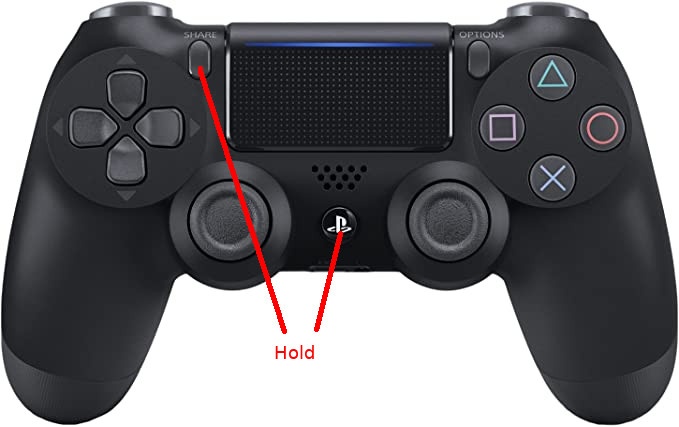
- In Ubuntu Bluetooth settings, add new device
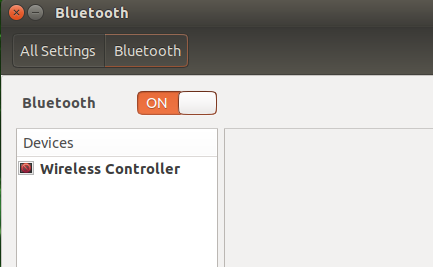
- Test
rosrun joy joy_node
rostopic echo /joy
2 - Prepare your sound file
Convert mp3 to sbc file
gst-launch-1.0 -q filesrc location=INPUT.mp3 ! decodebin ! audioconvert ! audiosample ! sbcenc ! "audio/x-sbc,rate=32000,channels=2,channel-mode=dual,blocks=16subbands=8,allocation-method=loudness,bitpool=25" ! queque ! filesink location=OUTPUT.sbc sync=false
3 - Play the sound file
- Udev permission
sudo cp cfg/99-hidraw-permissions.rules /etc/udev/rules.d- If your username is not in dialout group, add to it
sudo adduser USERNAME dialout- Demo
roslaunch ps4_joystick_sound_player joy_sound_player.launch 4 - Change joystick’s light color
void JoySoundPlayer::play_sound(std::string SBCFile, std::vector<char> RGB, char volume){...}